WhatsApp Business for Sales: A Practical Guide for Malta
How to use WhatsApp Business for sales in Malta: set-up, quick replies, labels, first replies, follow-up and broadcast consent, step by step.
It is nine at night. A photo arrives: a cracked tile, a broken gate, a dress in a shop window. Under it, four words. “Can you do this?” By breakfast the same customer has sent the same photo to two other businesses.
If you run a small business in Malta, this is how many of your enquiries already arrive. This guide shows how to use WhatsApp Business for sales, step by step: which version to use, how to set it up, what to write in the first reply, how to follow up without nagging, the rules on broadcasts and consent, and how to tell whether it is working. Every feature and limit below comes from Meta's own help pages.
Why WhatsApp Business for sales matters in Malta
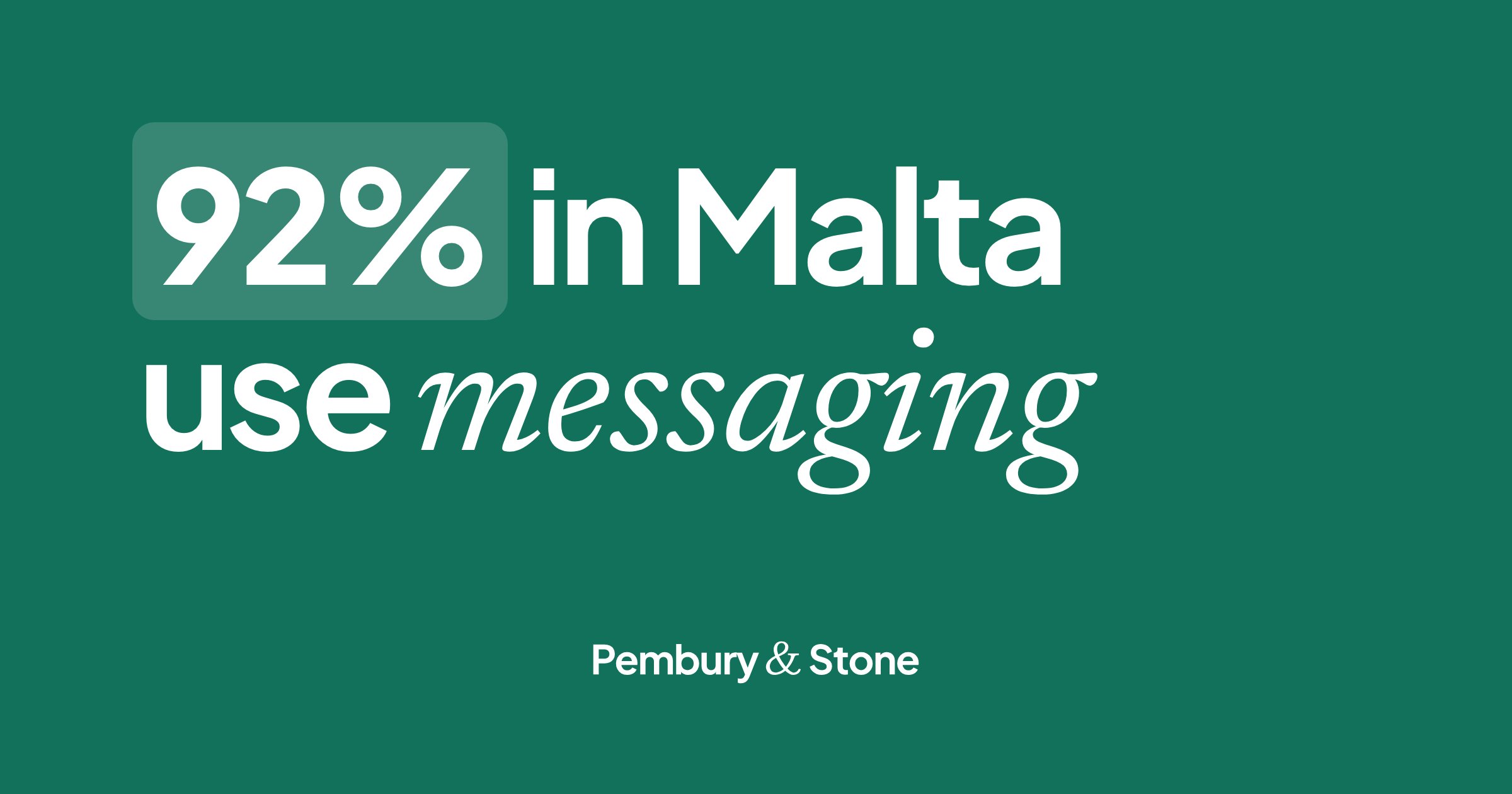
People in Malta message. In 2025, 91.9% of people aged 16 to 74 in Malta used instant messaging such as WhatsApp in the previous three months, against 82.3% across the EU (Eurostat, isoc_ci_ac_i). For a builder, a clinic or a shop, that means the enquiry is more likely to be a chat than a call or an email.
You will also see claims that WhatsApp messages have a “98% open rate”. Even Meta repeats it on its comparison page, but the footnote points to a messaging vendor's blog, not to a study (WhatsApp Business, 2026). We could not trace it further, so we do not lean on it. You do not need it. Your own phone tells you where your customers are.
The WhatsApp Business app or the Business Platform?
Meta offers two products, and the names confuse people.
The WhatsApp Business app is free to download and built for small businesses. It looks like normal WhatsApp, with tools added: a business profile, a catalogue, quick replies, greeting and away messages, and labels (WhatsApp Help Center). One number, one main phone, and up to four linked devices such as a laptop. You need to open WhatsApp on the main phone every 14 days to keep them linked (WhatsApp Help Center).
The WhatsApp Business Platform, often called the API, is for medium and large businesses that connect WhatsApp to their own software and many agents (WhatsApp Business). It has stricter rules. You can only start a conversation with a message template Meta has approved. You can reply freely within 24 hours of the customer's last message, and after that only with a template. Messages are charged under Meta's pricing (WhatsApp Business Messaging Policy).
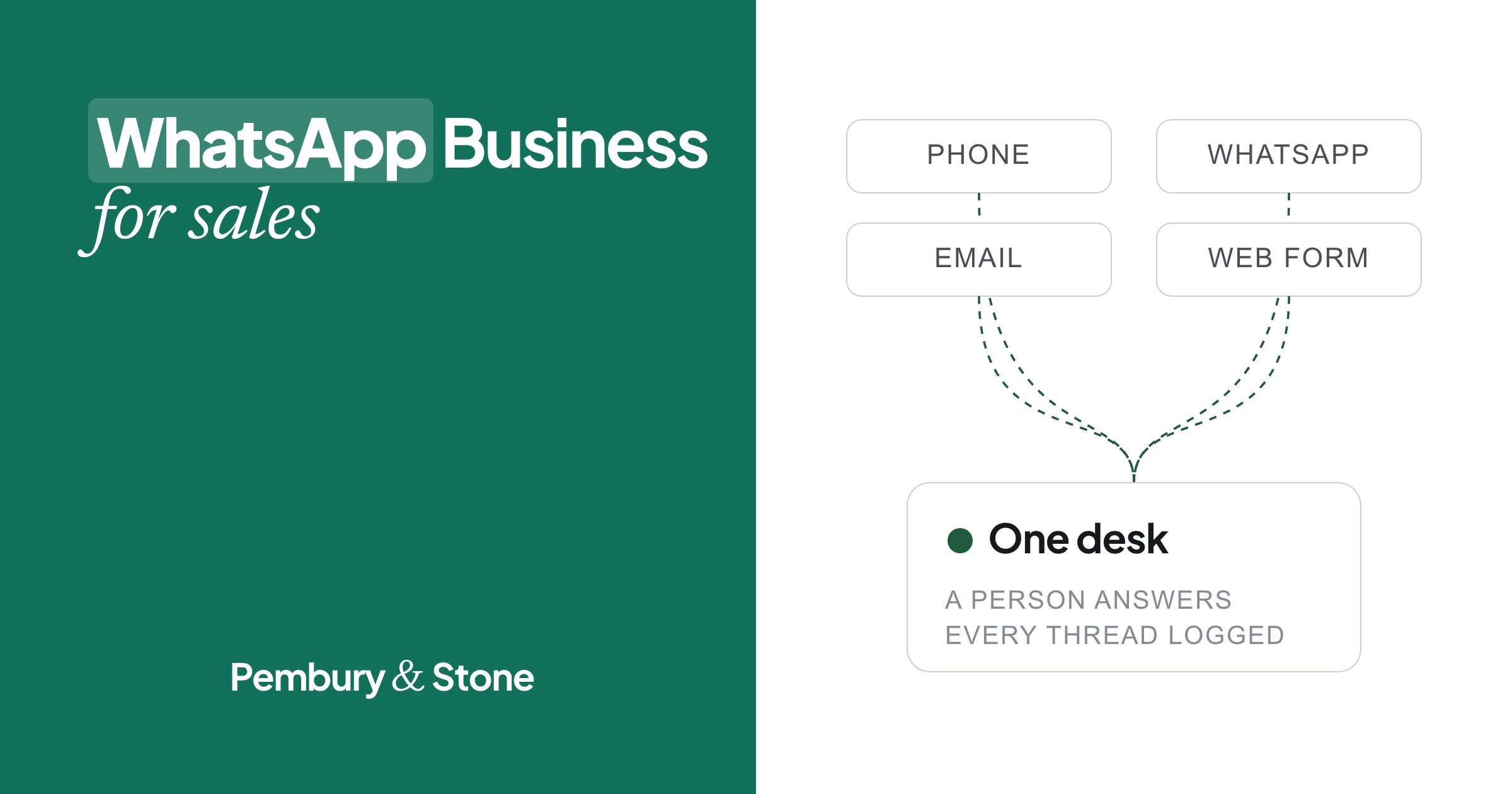
For most owner-run businesses in Malta, the app is the right start. Move to the Platform when several people need to answer the same number at once, or when you want every chat logged next to your calls and emails.
How to set up WhatsApp Business for sales, step by step
Six steps. An evening's work, done once.
Step 1: Keep the business number off your personal phone
WhatsApp Business and personal WhatsApp can run side by side, but each needs its own phone number. One number cannot be on both apps at once (WhatsApp Help Center).
Use a separate number for the business, on a second phone or a second SIM. Business chats stop hiding between family groups, someone can cover the number when you are away, and the number can go with the business if you sell it.
Step 2: Fill in the business profile
When you set up the app, it asks for a business name, up to three categories, your opening hours, a photo, an address, a website and a short description (WhatsApp Help Center). Fill in all of it. Meta's policy also asks every business to keep contact details such as an email, a website or a phone number on the profile, accurate and up to date (WhatsApp Business Messaging Policy).
Two details matter more than they look. Your hours switch on the “outside business hours” away message. And a complete profile gives you ready-made quick replies for your address and hours. In the description, say what you do and where: “Bathroom and kitchen tiling. Malta and Gozo. Quotes within two working days.”
Step 3: Set a greeting and an away message
A greeting message is sent automatically the first time someone messages you, and again if they write after 14 days of silence (WhatsApp Help Center). An away message is sent when you are busy, on a schedule, or only outside your business hours (WhatsApp Help Center).
Keep both short and honest. They are a receipt, not a reply. Say who they reached and when a person will answer:
- Greeting: “Hi, you’ve reached Borg Tiling. Thanks for your message. Joseph will reply himself, usually within the hour.”
- Away: “Thanks for your message. We’re closed now and back at 8am. If you’ve sent a photo, we’ll look at it first thing.”
Step 4: Save your WhatsApp quick replies
Quick replies are saved messages you send with a shortcut. Type a forward slash (/) in a chat and they appear. They can include photos and videos, and you can keep up to 50 (WhatsApp Help Center). Meta notes that a deleted quick reply cannot be recovered, so keep a copy of your best ones somewhere else.
Save the answers you type every week. Then edit them a little each time, so they never read like a machine. A good starting set:
- /range: what a typical job costs, as a range, and what changes it.
- /slots: two times you can visit or call this week.
- /photos: which photos help you quote, and from which angle.
- /area: where you work, and where you do not.
- /thanks: the message after a job, asking for a review.
Step 5: Use labels as a simple sales pipeline
Labels let you tag a chat and filter by it. You can create up to 20. In some versions Meta is renaming labels “lists”, so you may see that word instead (WhatsApp Help Center).
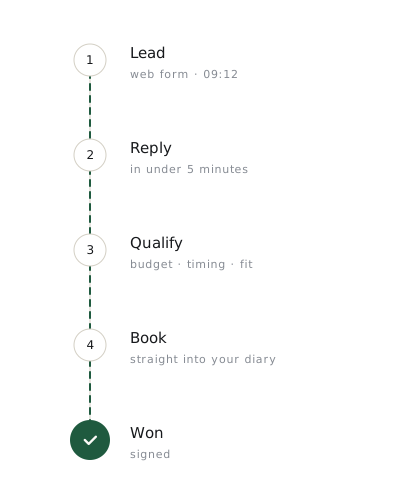
Five or six labels are enough to turn a chat list into a pipeline. Move each chat along as it changes. At the end of the day, open “To follow up” and work down it.
- New: not answered yet.
- Quoted: price or range sent.
- To follow up: owes them a message or a call.
- Booked: visit or job in the diary.
- Won and Lost: with the reason in a note.
Step 6: Add a catalogue and a short link
The catalogue shows your products or services inside WhatsApp. Each item can have up to 10 photos or videos, a name, and optional price, description and link. Every item is reviewed by WhatsApp and only appears once approved (WhatsApp Help Center). If you quote every job separately, list your services with good photos and no price.
The app also gives you a short link that opens a chat with you, with an optional pre-filled message (WhatsApp Help Center). Put it on your website, your Google profile and your van.
How to write the first reply on WhatsApp
The first reply decides most of what follows. When researchers tested 2,241 US companies, firms that tried to reach an enquiry within an hour were nearly seven times as likely to qualify it as firms that waited longer (Harvard Business Review, 2011). That study was about web forms, but the lesson travels: the first useful answer tends to win.
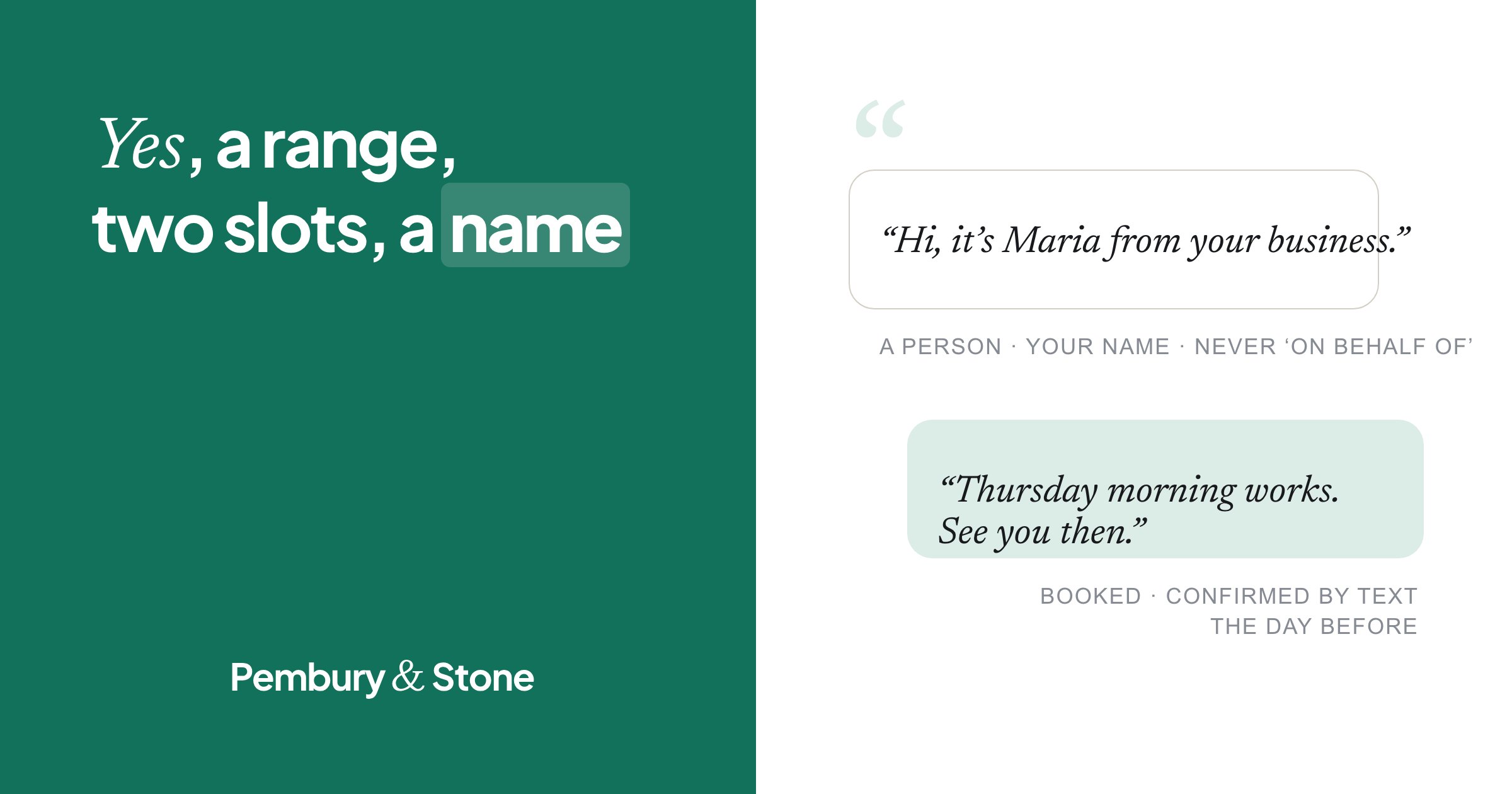
Useful is the key word. “Hi, how can I help?” is not a reply to a photo. A good first reply does four things: confirms you do this, gives a range or the one thing you need to know, offers two times, and signs off with a name. Our free WhatsApp first-reply generator writes one for your trade, ready to save as a quick reply.
Here is what Maltese customers actually send, and replies that move them on:
Hi, yes, we fix gates like this. Which suits you, Thursday or Friday?
- A photo at 9pm, “Can you do this?” Reply: “Hi, yes, we fix gates like this. Usually it’s a new hinge and a weld, done in one visit. I can look at it Thursday at 10 or Friday at 4. Which suits you? Joseph, Borg Metalworks.”
- “Kemm?” or “How much for a cleaning?” Reply: “Hi, a check-up and clean is usually 40 minutes. The price depends on what the dentist finds, and we’ll tell you before anything is done. We have Tuesday at 4 or Wednesday at 9. Shall I book one? Maria, Sliema Dental.”
- “Do you have this in a 38?” Reply: “Hi, yes, one left in 38. I can hold it for you until 6pm today. Shall I put your name on it? Claire, Valletta.”
Answer in the language they used
Enquiries in Malta arrive in English, in Maltese, and often both in one message. Reply in the language they wrote in. Short is fine. Stiff is not.
Following up on WhatsApp without being pushy
Most sales on WhatsApp are not lost to a cheaper rival. They are lost because the chat goes quiet and nobody writes again. Two blue ticks and no answer is not a no. It usually means they read it in a queue at the bank and forgot.
Follow-up works when it is planned. In data on nearly 3.5 million leads, half were only ever called once, yet 93% of the leads that converted were reached by the sixth call (Velocify data, National Law Review, 2016). A simple rail after a quote: a message on day two, a call on day five, a message with something new on day nine, a last call on day fourteen. Our page on lead follow-up sets it out in full.
Each message should add something. A date, a photo of a similar job, a smaller option. And it should be easy to answer:
Every follow-up should give them a reason to reply.
- Day 2: “Hi Maria, Joseph from Borg Tiling. Just checking the quote for the bathroom came through. Happy to go through any of it.”
- Day 9: “Hi Maria, here’s a bathroom we finished in Mosta last week, same tiles. If budget is the question, I can price it without the niche.”
- If they say no: “Thanks for letting me know, Maria. If anything changes, you know where we are.” Then stop.
WhatsApp broadcast lists, marketing and consent
Broadcast lists send one message to many contacts, and each person gets it as a private chat. Their replies come only to you. Each list holds up to 256 contacts. The catch: only people who have saved your number in their phone receive a broadcast (WhatsApp Help Center). That is a feature, not a bug. It keeps broadcasts to people who already know you.
Meta also offers paid marketing messages, now called business broadcasts in some countries, which can reach customers who have not saved your number. They are only available in some countries so far (WhatsApp Help Center).
Whichever you use, the rules are the same. Meta's policy says you may only message people who gave you their number and agreed to hear from you, and you must respect any request to stop, on or off WhatsApp (WhatsApp Business Messaging Policy). Malta's rules on electronic marketing, explained by the data protection commissioner, require prior consent, with a narrow exception for your own customers about similar products, and an easy way to opt out in every message (IDPC).
In practice: ask before you add someone (“Can we send you our offers on WhatsApp, about once a month?”), keep a note of who said yes, end each broadcast with “Reply STOP and we won’t send these again”, and treat one “stop” as final. Same day, every time.
When a call beats a WhatsApp message
WhatsApp is good for photos, prices, times and confirmations. It is poor at anything with a doubt in it. Pick up the phone when:
Is now a good time for a quick call about the gate?
- The job has more than one question you need answered before you can price it.
- The customer has gone quiet after a quote. A message is easy to ignore. A friendly call is not.
- Something went wrong: a late delivery, a mistake, a complaint.
- The customer writes long messages, or says “it’s complicated”.
- The sale is large enough that trust matters more than speed.
Ask first, then call
Send “Is now a good time for a two-minute call about the gate?” before you ring. Keep to sensible hours. Ours are nine to one and four to seven, never on a Sunday. After the call, sum up what you agreed in one line in the chat.
Common WhatsApp Business mistakes
Most mistakes are small and cost sales quietly.
- Replying “how can I help?” to a clear question. Answer the question.
- Price as the whole reply. A bare number invites a comparison. Add what is included and a time.
- Voice notes as the first reply. Many customers cannot play them at work. Write first, offer a call.
- Greeting messages that pretend to be a person. If it is automatic, keep it short and say a person will reply.
- Broadcasting to everyone in the phone. Without consent it breaks Meta's policy and Malta's rules, and it gets you blocked.
- One phone, no cover. On a job or on holiday, the number goes dark.
How to measure WhatsApp sales
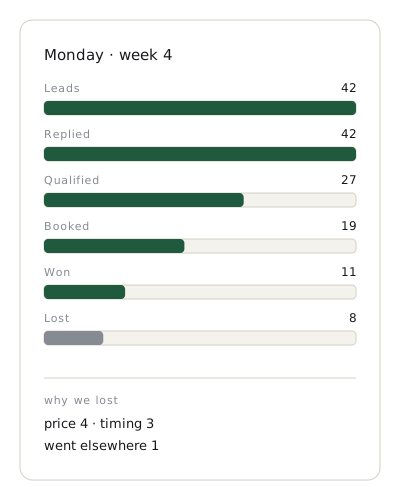
If you do not count it, you cannot tell whether WhatsApp sells or only chats. Once a week, write down five numbers from your labels: new chats, replied within the hour, quoted, booked and won. For every lost one, write the reason in the customer's words.
We call this the Monday Number: one page, every Monday. After a month you will see whether you lose on speed, on price or on silence, and you will know which quick replies and follow-ups work. You can start with our free Monday Number template.
Do it yourself, or hand it over
If you can answer within the hour and keep the labels up to date, run it yourself. The set-up takes an evening. The habits take a month.
If you are on a ladder when the photos arrive, that is what we do. Our desk in Malta answers your WhatsApp Business number in your name, sends the range and two slots, follows up every quote, and logs every chat next to your calls. We always say who we call for. No AI voice on any call that sells. One “stop” ends it. Your customer data stays in the EU. Read how WhatsApp sales works with us, or see how speed to lead fits in.
Either way, tonight's “Can you do this?” deserves a proper answer. Talk to our sales team if you would like us to send it.
Questions owners ask
Is WhatsApp Business free?+
The WhatsApp Business app is free to download and uses your data or Wi-Fi like normal WhatsApp. The WhatsApp Business Platform (the API) and paid marketing messages are charged per message under Meta's pricing.
Can I have WhatsApp and WhatsApp Business on the same phone?+
Yes, but each needs its own phone number. One number cannot be on both apps at the same time. A dual-SIM phone or a second phone keeps the business number separate.
How many quick replies can I save in WhatsApp Business?+
Up to 50. Each has a shortcut you call up by typing a forward slash (/) in a chat, and quick replies can include photos and videos. The app also creates default replies from your business profile, such as your address and hours.
Why are some customers not receiving my broadcast?+
Broadcast lists only reach people who have saved your number in their phone's contacts. Ask customers to save it, or, where it is available, use Meta's paid marketing messages. Either way, only message people who agreed to hear from you.
What is the difference between the WhatsApp Business app and the API?+
The app is for small businesses answering from a phone and a few linked devices. The Business Platform, or API, connects WhatsApp to software and many agents, starts conversations only with approved templates, and is charged per message.
Can someone answer my WhatsApp Business messages for me?+
Yes. A sales desk can answer your number in your name, send prices and slots, and follow up quotes. Ours is in Malta. See how WhatsApp sales works, or talk to our sales team.
- Individuals: internet activities (isoc_ci_ac_i), instant messaging, Malta and EU, Eurostat (2025).
- The Difference Between WhatsApp and WhatsApp for Business, WhatsApp Business (Meta).
- WhatsApp Business Messaging Policy, WhatsApp Business (Meta) (2026).
- How to use quick replies, WhatsApp Help Center.
- How to use greeting messages, WhatsApp Help Center.
- How to use away messages, WhatsApp Help Center.
- How to use labels, WhatsApp Help Center.
- How to create and maintain a catalog, WhatsApp Help Center.
- How to use broadcast lists, WhatsApp Help Center.
- About marketing messages, WhatsApp Help Center.
- How to download the WhatsApp Business app, WhatsApp Help Center.
- How to link a device, WhatsApp Help Center.
- Direct marketing, Information and Data Protection Commissioner, Malta.
- The Short Life of Online Sales Leads (Oldroyd, McElheran and Elkington), Harvard Business Review (2011).
- Study Reveals Best Contact Strategies for Optimal Lead Conversion (Velocify data), National Law Review (2016).
- BlogWhat Is a Sales Pipeline? A Plain Guide for Small Businesses in Malta
- BlogVirtual Receptionist Malta or a Sales Desk: Who Should Answer Enquiries?
- ServiceWhatsApp sales: your business number, answered by a person
- ServiceLead follow-up: every quote chased until there is an answer
- ServiceSpeed to lead: every enquiry answered in minutes